
extract text from pdf
Extract text from a PDF
Turn a PDF, including a scan, into text you can copy. Extraction is for reading the content. Translation is a separate step if you also need another language.
New accounts include 200 free credits. Further use is pay as you go.
- PDF uploads up to 50 MB
- Printed pages and scans
- Text and tables when the page allows it
- 200 credits on a new account
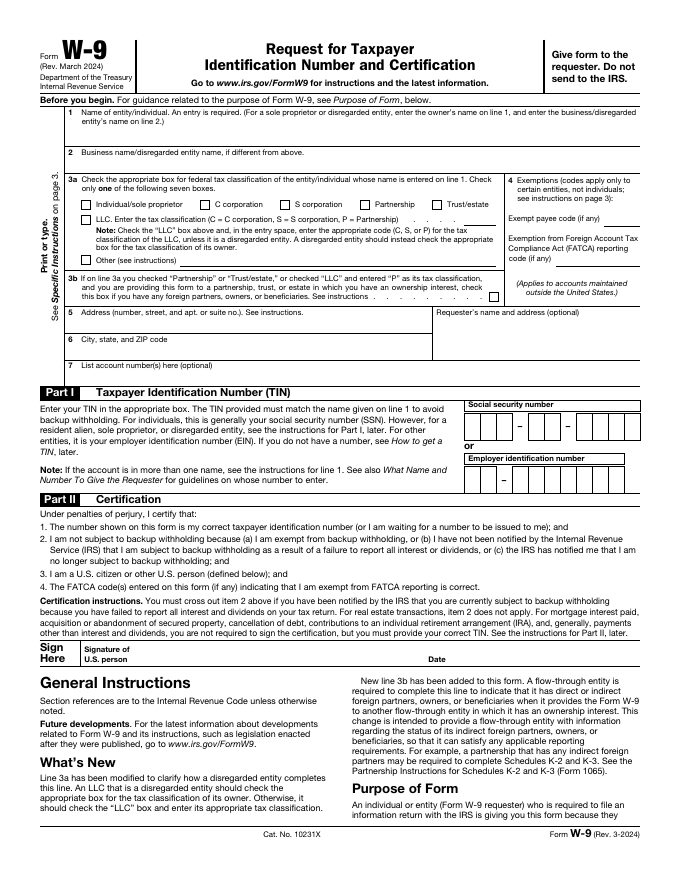
Real input, real result
Processed with the Transpera API (document.extract, 180 credits) on 22 November 2026. Output is unedited.
Try it with a real file
Public files from the internet. Download one, upload it to the tool and see the result for yourself. These are inputs, not pre-rendered results.
IRS Form W-9
A form with boxes, tables and small print, good for OCR and table extraction.
Public domain (US government work). Source: Internal Revenue Service
Download sampleNASA Space Launch System fact sheet
A 2-page English PDF with text, figures and specification tables.
Public domain (US government work). Source: NASA via Wikimedia Commons
Download sample
- 1
Upload the PDF
Add a digital PDF or a scan up to 50 MB.
- 2
Extract the text
OCR reads scanned pages. Digital PDFs yield their text directly.
- 3
Use the result
Copy the text, or send the file on to translation, summary, or a report.
Related tools
Questions, answered
Common questions about extract text from pdf.
A new Transpera account includes 200 credits. Each run spends credits from that balance, and further use is pay as you go.
Printed pages are the supported case. Handwriting is not guaranteed.
Extract text from a PDF
Extract text from PDF files with Transpera. New accounts include 200 free credits to turn scans into readable text.