
AI table extractor
AI table extractor
Pull tables out of a PDF, Word file, or PowerPoint. A custom prompt can ask for specific columns, totals, or comparisons.
New accounts include 200 free credits. Further use is pay as you go.
- PDF, DOCX, and PPTX
- A prompt to refine the table
- Side-by-side comparison of fields
- 200 credits on a new account
Real input, real result
Processed with the Transpera API (document.extract_tables, 10 credits) on 22 November 2026. Output is unedited.
Try it with a real file
Public files from the internet. Download one, upload it to the tool and see the result for yourself. These are inputs, not pre-rendered results.
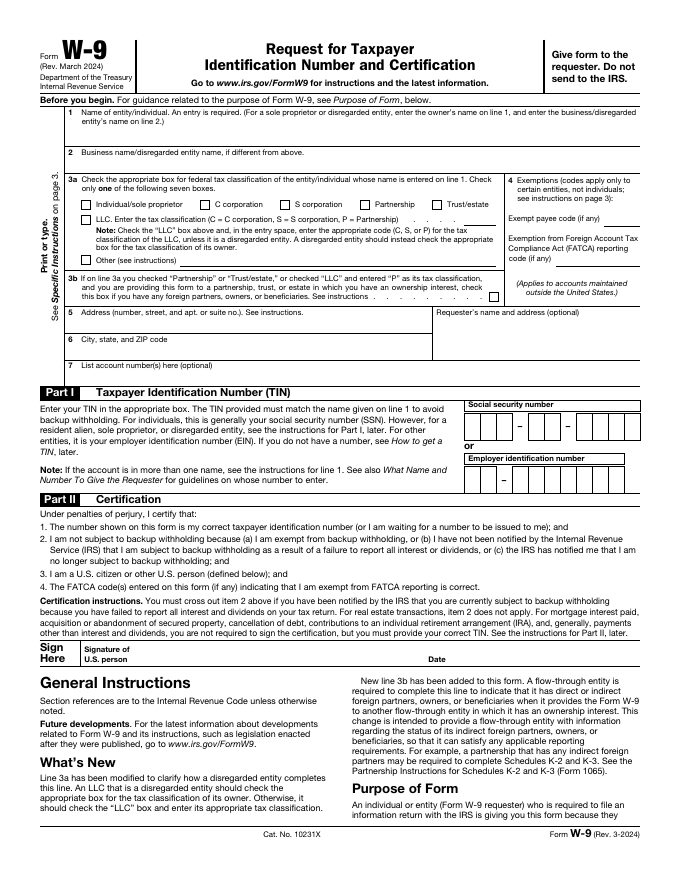
IRS Form W-9
A form with boxes, tables and small print, good for OCR and table extraction.
Public domain (US government work). Source: Internal Revenue Service
Download sampleCRS report: NASA appropriations and authorizations
A longer English report with numeric tables, good for summaries and reports.
Public domain (US government work). Source: Congressional Research Service via Wikimedia Commons
Download sample
- 1
Upload the file
Add the document that contains the tables.
- 2
Prompt the extraction
Optional: name the columns or comparisons you want.
- 3
Review the table
Check the structured result in the insight studio.
Questions, answered
Common questions about AI table extractor.
PDF, DOCX, and PPTX.
It returns the table data, not a replica of the page layout.
AI table extractor
Extract tables from PDF, DOCX, and PPTX files with Transpera's AI table extractor. Upload a document and use a custom prompt to refine results.